Heart-rate monitors
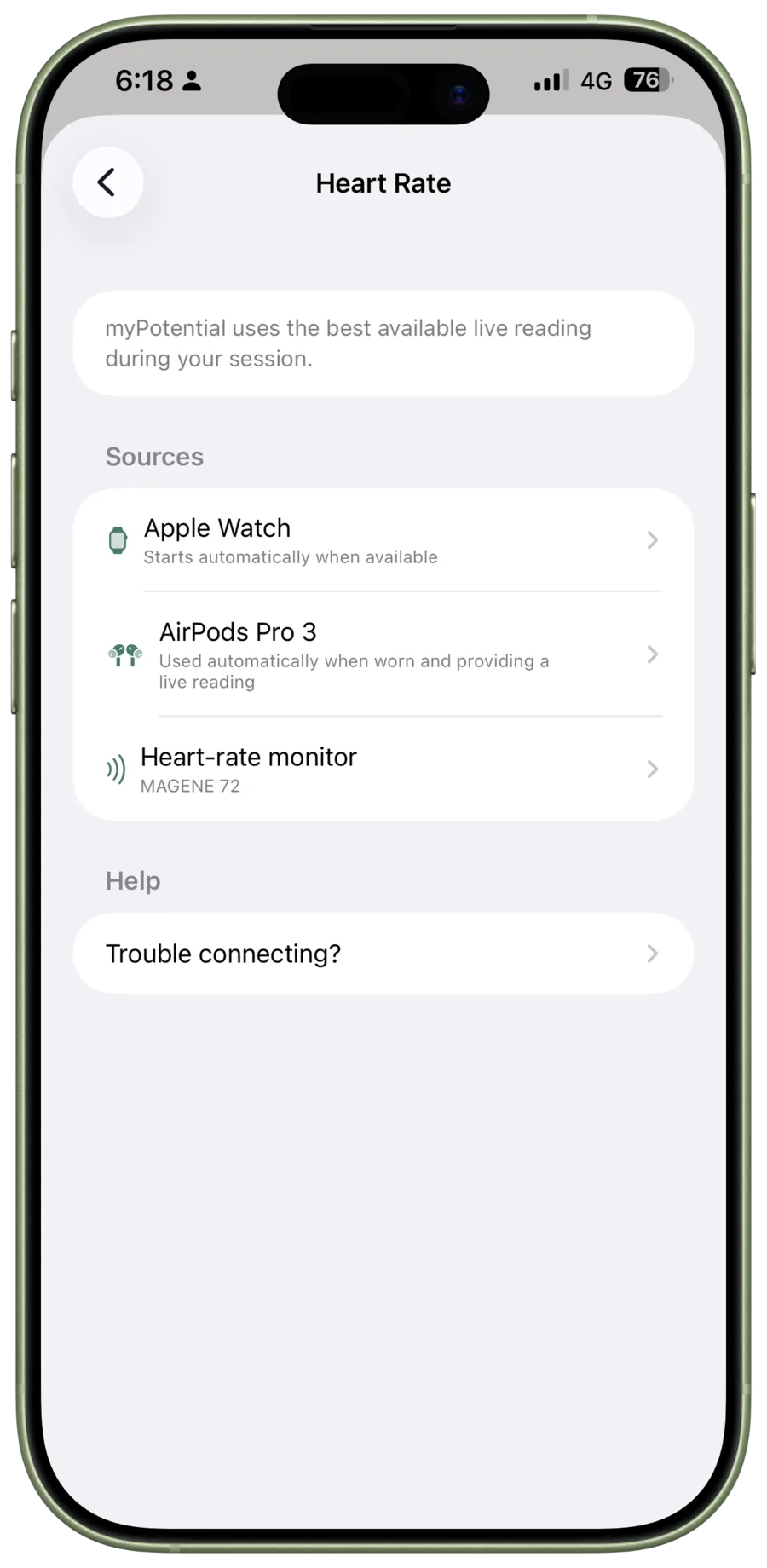
myPotential needs a current heart-rate reading before a session can begin. You can use:
- Apple Watch. It starts automatically when the watch is nearby and worn during a session.
- AirPods Pro 3. Available on iOS 26 or later when the earbuds are worn and providing a live reading.
- Bluetooth heart-rate monitor. This can be a chest strap, armband, or other monitor that uses the standard Bluetooth Low Energy Heart Rate Service.
Bluetooth compatibility
A monitor needs to broadcast a live reading over Bluetooth Low Energy using the standard Heart Rate Service. Many chest straps and armbands do this. Some Bluetooth fitness devices do not.
These monitors have been reported to work with myPotential:
- Garmin vívosmart 5
- Magene 72 chest strap
These common Bluetooth heart-rate monitors are also good options to try:
- Chest straps: Polar H9 or H10, Garmin HRM-Dual or HRM-Pro Plus, and Wahoo TRACKR.
- Armbands: Polar Verity Sense, COROS Heart Rate Monitor, and Wahoo TICKR FIT.
- Watches and fitness bands: Garmin Forerunner 165 or 265, Venu 3, vívoactive 5, fēnix 7 or 8, and COROS watches with heart-rate broadcasting.
The second list is not a compatibility guarantee. Device software and Bluetooth connections can affect whether a monitor appears. A watch needs an explicit Broadcast Heart Rate option. It is not enough for it to simply sync fitness data to the iPhone.
Put the monitor on and wake it before scanning in myPotential. Pair it from the app, not from the iPhone Bluetooth settings. See Pair a Bluetooth heart-rate monitor.
Which source will myPotential use?
The app uses the best live reading available during a session. You can set up more than one source. Before you start, check that the reading on the pre-session screen is current.
For watch fit, reliability, and troubleshooting, see Using Apple Watch. For AirPods setup and strap pairing, see Use AirPods Pro 3 for heart rate. For target ranges and the start-timing control used during cardio, see Cardio sessions.