Set custom heart-rate ranges
The app calculates standard target ranges from the program and your age. If you'd like to set a custom maximum heart rate or target ranges, you can enter them in myPotential.
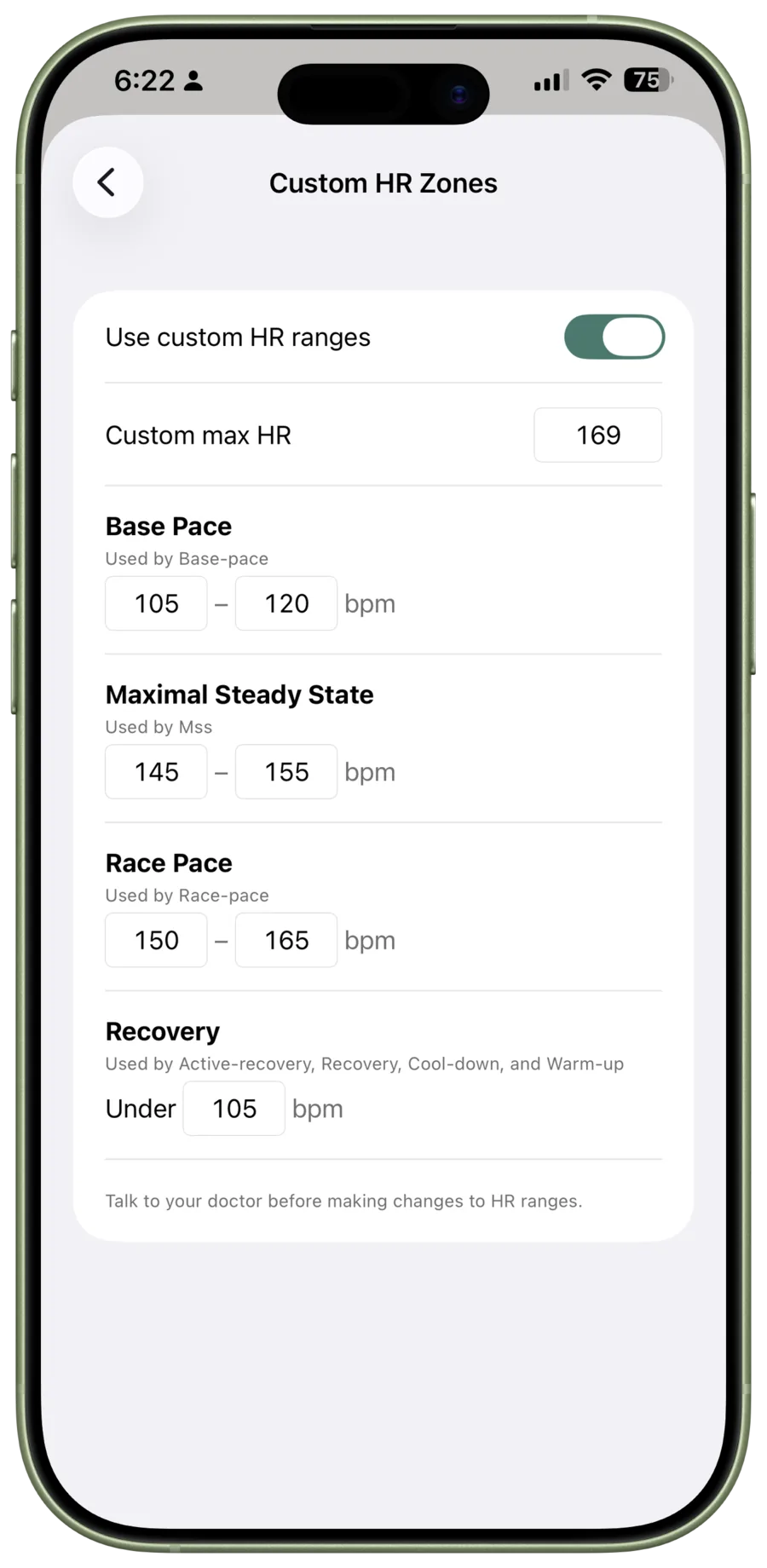
Change your ranges
- Open Settings and choose Custom HR Zones.
- Turn on Use custom HR ranges.
- Enter your own maximum heart rate, if you'd like to use a different one.
- Review each named range and enter its lower and upper limits.
- Tap Done in Settings to save the changes.
The screen shows which activities use each range. Turn Use custom HR ranges off to go back to the program's calculated ranges.
Make changes carefully
Talk to your doctor before changing a maximum heart rate or target range, and before starting a new exercise program. Your target range should not come from one workout, another person's settings, or a consumer device reading alone.
Heart rate changes with sleep, hydration, temperature, stress, illness, medications, sensor fit, and movement. Watches, earbuds, and monitors can lag or lose a reading too. Use the number for pacing, not as a clinical measurement. Stop if you feel unwell and talk to your doctor.
For how target-range pacing affects cardio timing, see Cardio sessions. Read the full important information.